Back to solutionsFinance and Commerce
Bizovix solution

Accounting ERP for growing business teams

Keep finance, inventory, sales, and purchases aligned so month-end feels controlled instead of chaotic.

View pricing
Business outcomes

What teams can control with Accounting

Bizovix keeps this module connected to surrounding departments so data is captured once, reviewed with clear responsibility, and reflected in real-time business reports.

01

Connected ledgers and operating entries

Improve daily accountability with structured records, permissions, approvals, and reliable reporting.
02

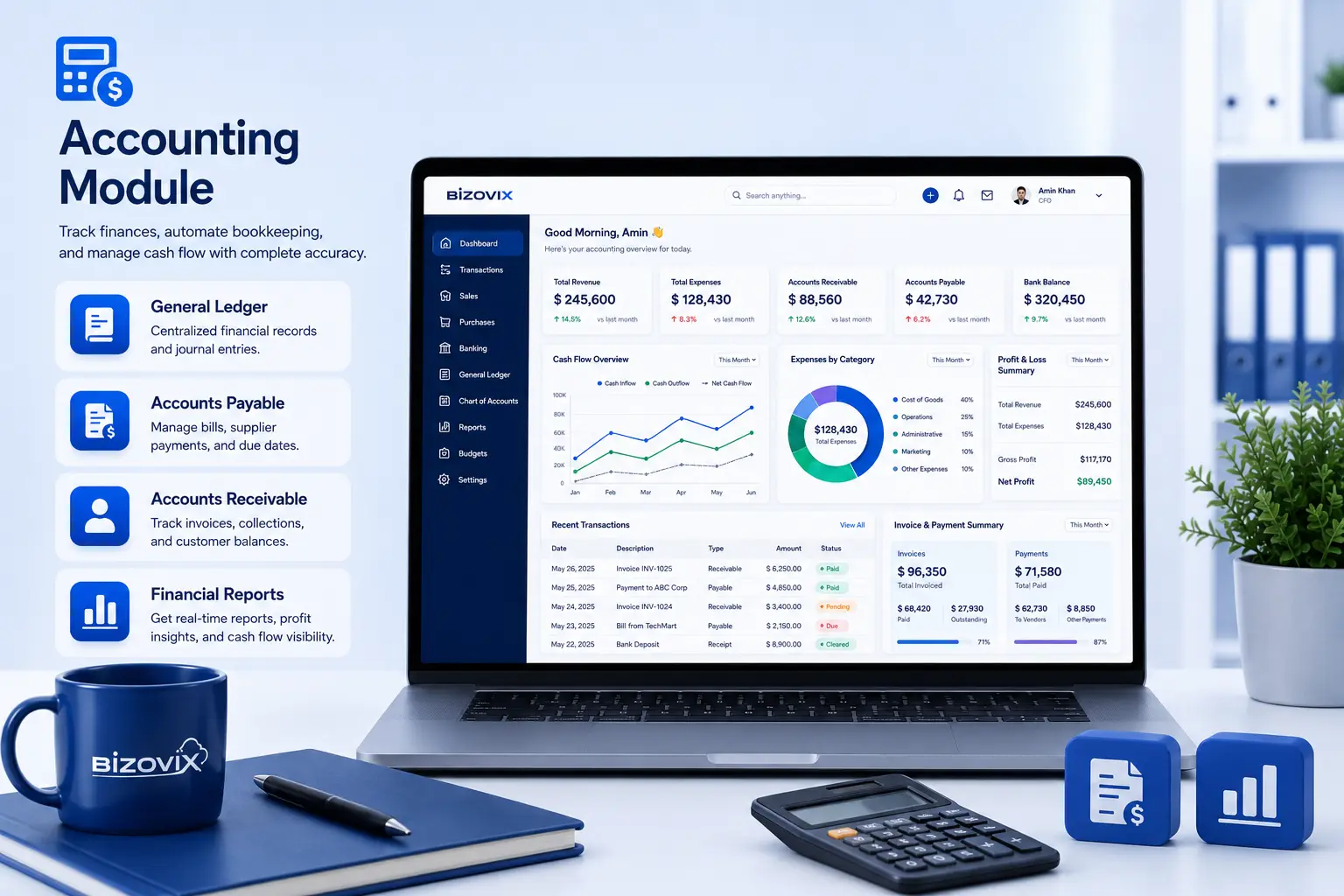
Receivable and payable visibility

Improve daily accountability with structured records, permissions, approvals, and reliable reporting.

03

Cash flow and expense category reporting

Improve daily accountability with structured records, permissions, approvals, and reliable reporting.

Accounting module

Why businesses use the Bizovix Accounting module

A connected accounting module helps finance teams keep journals, income, expenses, receivables, payables, and reports aligned with daily operations instead of chasing scattered files.

  • Reduce manual accounting work and duplicate data entry
  • Maintain organized financial records across sales and purchases
  • Monitor cash flow, receivables, and payables with clearer context
  • Connect accounting with inventory, purchase, sales, and approvals
Connected module plan

Manage business accounting with connected finance workflows

Bizovix keeps operating entries and financial reports connected so owners, accountants, and managers can review cleaner numbers faster.

Sales invoice to receivable

Keep this process connected with roles, approvals, records, and reporting in Bizovix ERP.

Purchase bill to payable

Keep this process connected with roles, approvals, records, and reporting in Bizovix ERP.

Inventory valuation to financial reports

Keep this process connected with roles, approvals, records, and reporting in Bizovix ERP.

Manufacturing fit

Plan production, manage raw materials, control work orders, monitor costing, and update finished goods from one connected ERP platform.

Accounting checkpoints4 metrics
01Cash flow

Use structured records to make this checkpoint easier to review and report.

02Receivables

Use structured records to make this checkpoint easier to review and report.

03Payables

Use structured records to make this checkpoint easier to review and report.

04Expense categories

Use structured records to make this checkpoint easier to review and report.

Accounting ERP FAQs

What does the accounting module do in Bizovix ERP?

It helps teams manage journals, income, expenses, receivables, payables, and financial reporting from connected operating records.

Can sales and purchases connect with accounts?

Yes. Sales invoices, purchase bills, payments, and stock valuation can be reflected through connected ERP workflows.

Can small businesses start with accounting first?

Yes. Teams can start with accounting and expand into purchase, inventory, sales, POS, HR, and reporting as needed.

Does it help with cash-flow visibility?

Yes. Structured receivable, payable, income, expense, and payment records make cash-flow review more practical.

ERP Software

See how Accounting fits your operation

Download Bizovix ERP software and start working with connected finance, inventory, sales, production, HR, approvals, and reporting workflows.

Official ERP installerConnected modulesBusiness-ready workspace