Back to solutionsFinance and Commerce
Bizovix solution

Point of Sale ERP for growing business teams

Give retail teams a fast POS while stock, accounts, daily cash, and customer data stay connected.

View pricing
Business outcomes

What teams can control with Point of Sale (POS)

Bizovix keeps this module connected to surrounding departments so data is captured once, reviewed with clear responsibility, and reflected in real-time business reports.

01

Fast checkout flows

Improve daily accountability with structured records, permissions, approvals, and reliable reporting.
02

Connected inventory updates

Improve daily accountability with structured records, permissions, approvals, and reliable reporting.

03

Daily sales visibility

Improve daily accountability with structured records, permissions, approvals, and reliable reporting.

POS module

Why retail teams use Bizovix POS for connected store operations

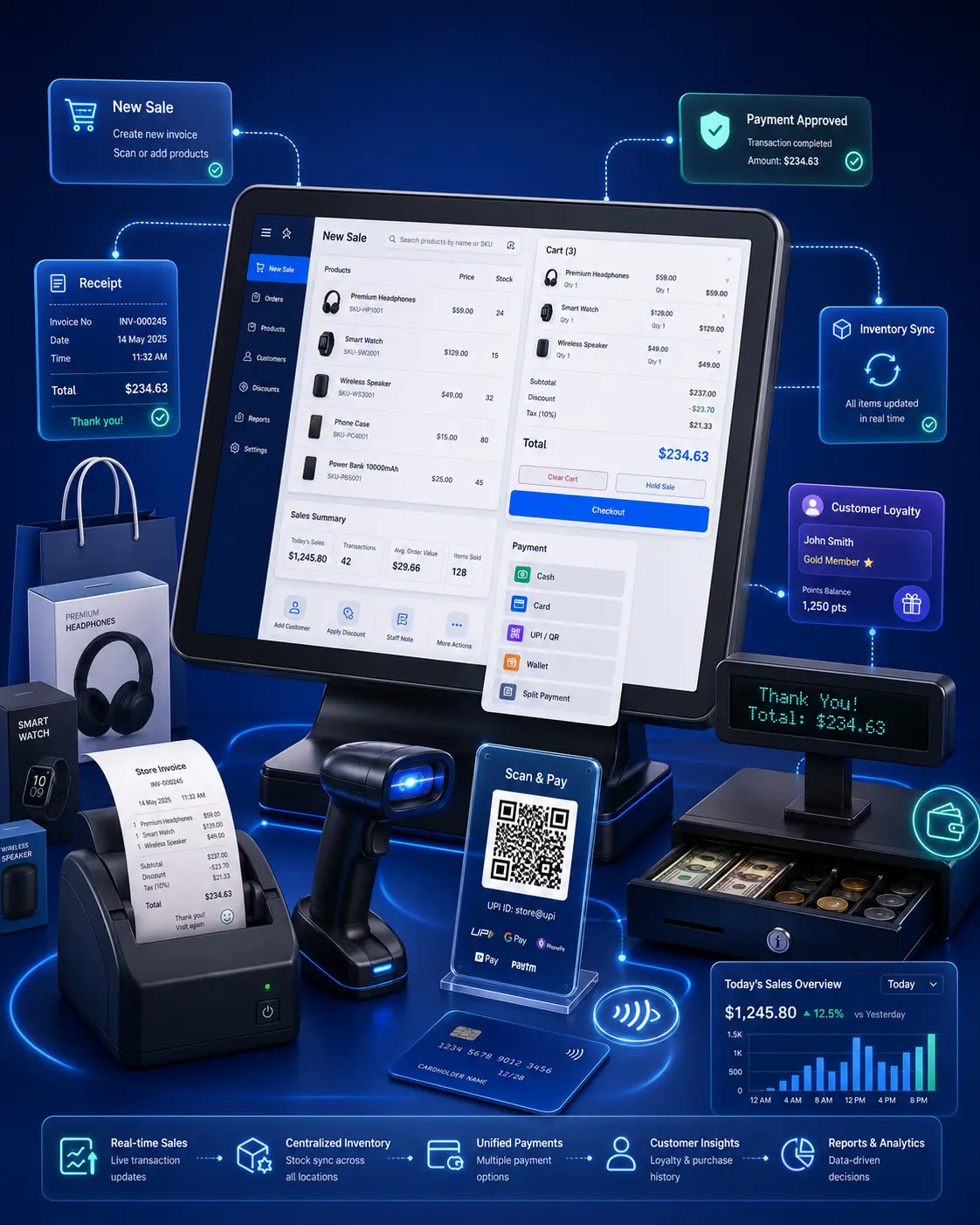
Retail teams need fast checkout, connected stock, payment records, returns, discounts, customer history, and daily closing visibility. Bizovix POS keeps counter sales linked with back-office records.

  • Process counter sales with connected product and customer records
  • Update inventory after sales, returns, and stock adjustments
  • Review daily sales, payment methods, and closing summaries
  • Connect POS with accounting, inventory, and customer history
Connected module plan

Manage checkout, receipts, returns, stock updates, and daily sales

Bizovix POS gives store teams a practical counter workflow while managers get cleaner stock and sales records.

Product search to cart

Keep this process connected with roles, approvals, records, and reporting in Bizovix ERP.

Payment to receipt

Keep this process connected with roles, approvals, records, and reporting in Bizovix ERP.

Sale to stock and cash summary

Keep this process connected with roles, approvals, records, and reporting in Bizovix ERP.

Retail and POS fit

Run counter sales, connected stock, daily cash summaries, returns, discounts, customer records, and store-level reporting.

POS checkpoints4 metrics
01Daily sales

Use structured records to make this checkpoint easier to review and report.

02Transactions

Use structured records to make this checkpoint easier to review and report.

03Payment methods

Use structured records to make this checkpoint easier to review and report.

04Stock updates

Use structured records to make this checkpoint easier to review and report.

Point of Sale (POS) ERP FAQs

Can Bizovix POS update inventory?

Yes. POS transactions can connect with stock records so sales and returns are easier to track.

Does it support daily closing summaries?

Yes. Daily sales, payment methods, returns, and cash summaries can be reviewed from connected records.

Can POS keep customer history?

Yes. Customer records and transaction history can stay available to the right teams.

Can multiple stores use Bizovix POS?

Branch-ready usage depends on setup, but Bizovix can support multi-location retail workflows.

ERP Software

See how Point of Sale (POS) fits your operation

Download Bizovix ERP software and start working with connected finance, inventory, sales, production, HR, approvals, and reporting workflows.

Official ERP installerConnected modulesBusiness-ready workspace